1. The Battlefield: Understanding File Pathways
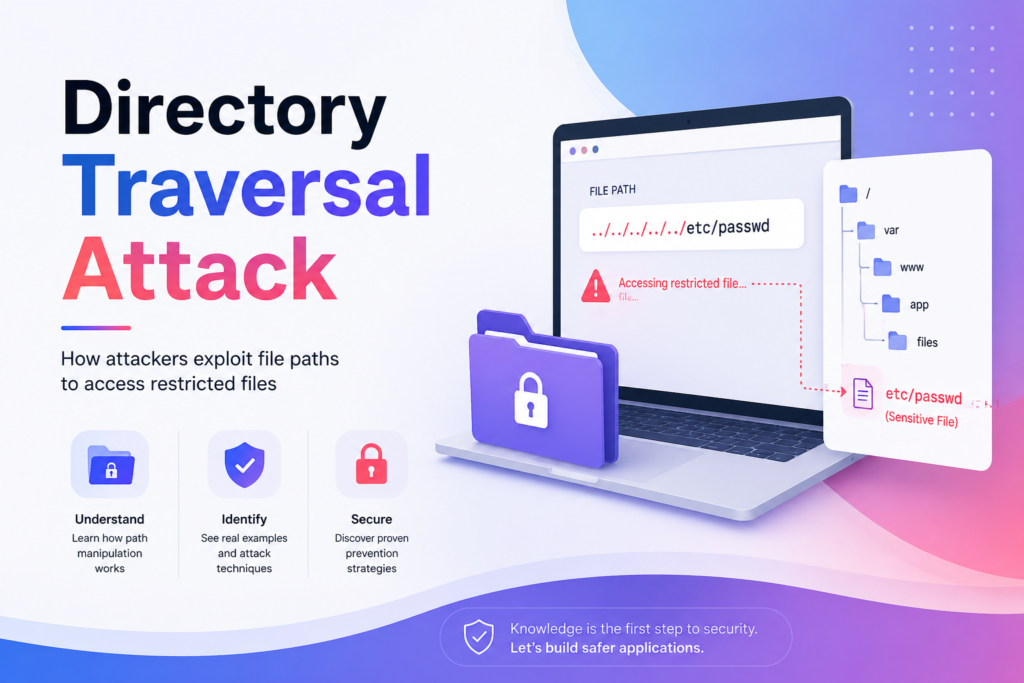
A directory traversal attack is one of the most dangerous web security vulnerabilities that allows attackers to access restricted files on a system. However, before we talk about the threats involved in this article, let us start by discussing the battlefield in question. By battlefield, we mean the file system of the computer.
The file system of a computer consists of a hierarchical structure of directories. We can think of the file system as a tree-like structure that consists of parent directories containing several sub-directories and files within them. For instance, the following pathway shows how a file system looks:
/var/www/app/public/images/logo.png
From left to right, we can see the progression of directories until we reach the actual file name, which is called logo.png.
However, that’s not all. There are also some unique commands within a file system that allow movement. These commands include:
. → Stay put or current directory
.. → Move upward or parent directory
Both of these commands may seem like hacks to you; however, they are commonly used by thousands of programmers and system administrators. The fascinating thing about these commands is how they are processed, like in the example:
/var/www/app/public/images/../config/settings.json
The system does not store it as such. It normalizes it. In other words, it resolves all those dots and slashes to the real location on the drive. Therefore, the path becomes:
/var/www/app/public/config/settings.json
The .. instructs the OS: “Go one step backward from the images directory and enter the config directory.”
As we can see, path normalization is absolutely ordinary and even necessary in this case. And here comes the key point – it is precisely this method that malicious hackers use.
2.What Is a Directory Traversal Attack?
Having learned how paths are created, you already have all the information needed to understand the attack.
A directory traversal attack takes place when:
- Some web application allows an end user to influence which file will be opened
- The application does not validate the input or does not limit user access to certain parts of the system
- A hacker exploits the vulnerability using a path with specially placed .. symbols to open unauthorized files
3. How a Directory Traversal Attack Works in a Weak Application
A directory traversal attack becomes very clear when we look at a real-life example.
Think of a website that lets people download files. This is what the URL looks like:
GET /download?file=report.pdf
The developer wrote something like this on the back end:
python
file_path = “files/” + user_input
open(file_path)
The developer thought, “All my files are in the files/ folder, so this should work.”
And it works fine for regular users. A normal user downloads report.pdf, the server opens files/report.pdf, and everything works as expected.
But here’s the problem: the developer assumed users would behave correctly. Attackers don’t.
4. How Attackers Exploit a Directory Traversal Attack
An attacker looks at that URL and thinks differently.
Instead of report.pdf, they send this:
file=../../../../etc/passwd
Now the server builds this path:
files/../../../../etc/passwd
After path normalization, this resolves to:
/etc/passwd
The application has now opened a sensitive Linux system file — one that contains user account information — without the developer ever intending that to happen.
The attacker didn’t break through any firewall. They simply walked backward through the directory tree, one .. at a time, until they reached something valuable.
This is why it’s called a directory traversal attack — the attacker is literally traversing (navigating) across directories they shouldn’t have access to.
5. Why a Directory Traversal Attack Works
Understanding why a directory traversal attack works is very important.
It is more important to understand why it succeeds than just what it does.
There are three reasons why it works:
Reason 1: The Application Trusts User Input
The developer assumed users would only send safe and expected filenames.
They designed the application for users, not for people who might try to do harm.
Reason 2: The OS Resolves Paths
When the operating system sees ../, it simply resolves the path.
It does not consider whether it should proceed or not.
The operating system behaves like a machine — it follows rules without evaluating intent.
Reason 3: No Validation of the Final Resolved Path
This is a critical mistake. The application checks the input string for patterns but does not verify where the path ends up after the operating system resolves it.
Think of it like this: a security guard checks your ID at the door, but no one checks which room you enter after walking inside.
6. “Just Block the Dots.” Why Simple Filters Fail
You might think: “Easy fix. Just check if the input has .. and block it.” Many developers think the same. Here is what that looks like:
if “..” not in filename:
open(“files/” + filename)
It looks good, right? It does not work. Attackers do not always use plain .. They use variations that bypass string checks but still mean the same thing to the system.
Here are some common bypass techniques:
- URL Encoding → ..%2f (which means ../)
- Double Encoding → ..%252f (which decodes twice)
- Obfuscation → ….// (extra dots and slashes)
- Absolute Path → /etc/passwd (skips traversal entirely)
- Windows Style → ….\windows\system.ini
Every single one of these can bypass a naive string filter — but the OS still resolves them the same way.
This is why security professionals say: filtering the input string is not enough. You must validate the resolved path.
7. Types of Directory Traversal Attacks
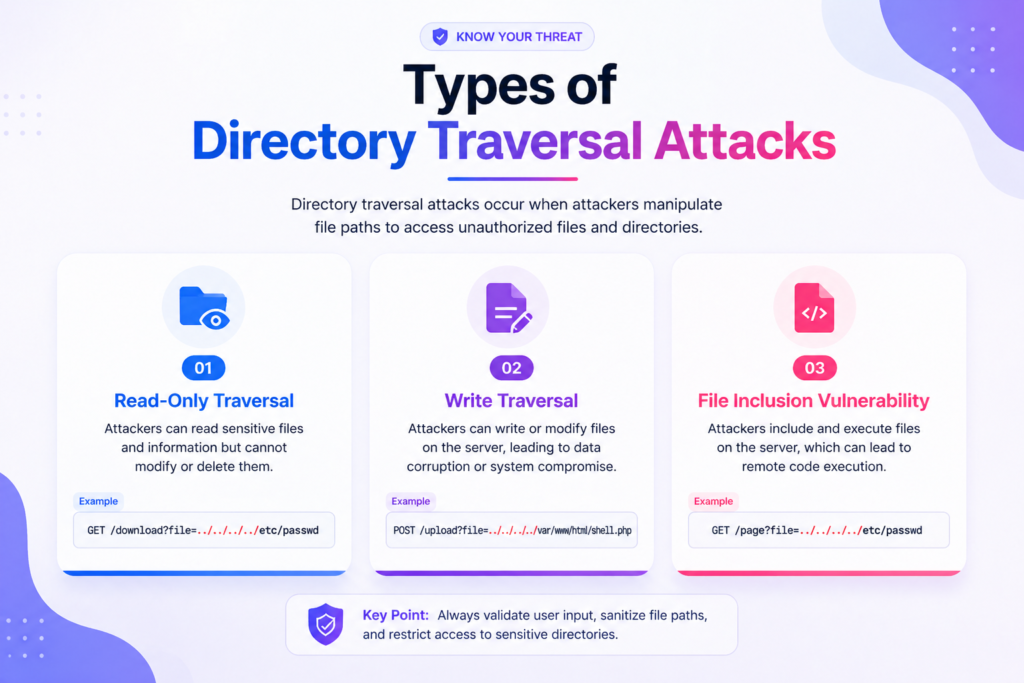
Not all directory traversal attacks look the same. Here’s how they are categorized:
Type 1: Read-Only Traversal
The most common type. The attacker reads files they shouldn’t — configuration files, passwords, source code, and log files. They can’t change anything, but the information they gather is often enough to launch bigger attacks.
Type 2: Write Traversal
his can lead to website defacement, malware injection, or corrupMuch more dangerous. The attacker can not only read but also modify files. Ttion of critical system files.
Type 3: File Inclusion Vulnerability
When an application performs both read and execute operations, a traversal attack can allow attackers to execute malicious code on the server.
8. What Can an Attacker Actually Steal?
When a directory traversal attack succeeds, the damage can be significant. Common targets include password files like /etc/passwd and /etc/shadow on Linux systems, configuration files that store database credentials and API keys, application source code, and log files that often contain sensitive user activity.
Attackers rarely stop at this stage — they use this information to gain admin access, move laterally across systems, and launch more severe attacks. directory traversal attack is often just the first step.
9. Understanding Path Resolution — The Technical Core
To truly understand why this attack works, you need to see how the OS handles a path like files/../../secret.txt.
It processes it step by step — entering the files folder, moving up one level, moving up again, and then opening secret.txt.
There is no judgment involved, no awareness of the developer’s intent. The OS simply follows instructions. That predictability is exactly what makes this attack effective.
10. The Right Way to Defend Against It
The solution comes down to two steps: resolve the path first, then verify where it actually lands.
Do not try to anticipate every possible trick an attacker might use. Instead, let the OS resolve the path and then check whether it still resides within your intended directory.
Even heavily encoded traversal payloads will eventually resolve to a location outside your base directory — and that’s where you block them.
11. Additional Layers of Defense
No single defense is enough on its own. A stronger approach includes using indirect file references — assigning numeric IDs so users never interact with real paths.
Combine this with a whitelist of explicitly allowed filenames, ensuring anything outside that list is blocked.
Also, ensure your web server only has access to what it truly needs. If an attacker gains access, limited permissions act as a strong barrier.
Modern frameworks like Django, Rails, and Laravel handle path safety automatically, so it’s better to rely on them instead of writing custom logic.
A WAF can catch obvious attack patterns, but it should not be your primary defense.
12. A Mental Model That Sticks
Think of it like a security guard in an office building. The rule is simple: employees should only access their assigned floor.
An attacker enters and takes the stairs down two floors to reach a restricted server room. If the guard only checks the ID at the entrance but never verifies where the person ends up, the attacker gains access.
The check must happen at the destination, not just at the entrance.
13. How Is This Different From Other Attacks?
Directory traversal targets the file system through manipulated paths.
SQL injection targets your database.
XSS targets the browser.
File inclusion targets code execution.
Each attack exploits a different weakness, but directory traversal specifically exploits the gap between application assumptions and actual file system behavior.
14. The One Insight That Changes Everything
The OS is not broken. The file system is not broken. The .. symbol works exactly as designed.
What is broken is the assumption that user input can be trusted before validation.
Attackers are not exploiting flaws in Linux or Windows — they are exploiting mistakes in how developers use these systems.
The real shift is not learning to block more patterns. It is about building systems that remain secure regardless of the input they receive.
Key Takeaways
- A directory traversal attack works because of how operating systems resolve paths.
- In a directory traversal attack, attackers use .. sequences to escape restricted directories.
- The root cause is always unvalidated user input.
- String filters fail due to encoding tricks.
- The correct solution is to resolve the path first and then verify its location.
- Layered defenses – whitelisting, least privilege, and indirect references – make systems far more secure.
Conclusion
The directory traversal attack is often overlooked by web application security professionals; knowing the basics about this threat will aid web application developers to construct more secure systems and protect sensitive files from being accessed by malicious users. With proper validation and multiple layers of defense, it is possible to stop directory traversal attacks entirely.